How to Run a Technical SEO Audit (Step-by-Step Guide)
 Martyn Rance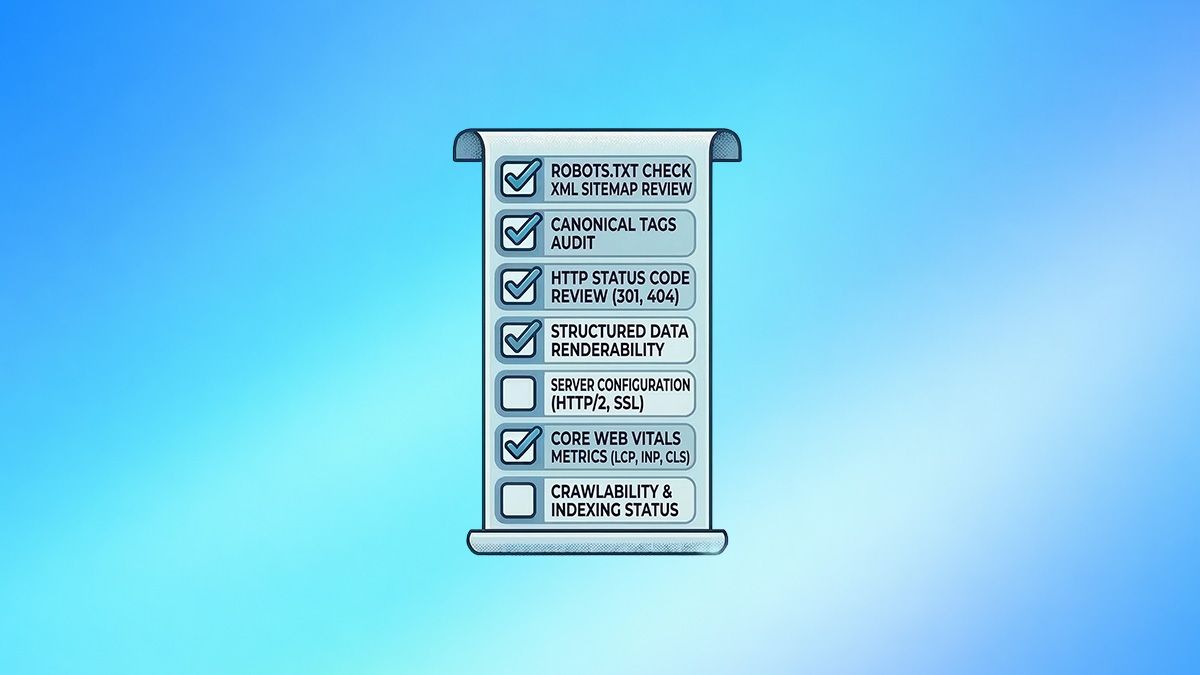
A technical SEO audit is a deep dive into the under-the-hood aspects of your website. It acts as a comprehensive health check to ensure that search engines can easily find, crawl, index, and understand your content.
If your site is slow, hard to crawl, or poorly structured, it is unlikely to rank well—no matter how great your content is. Technical SEO provides the essential bedrock upon which all other digital marketing and SEO efforts are built. Here is a step-by-step guide to conducting a thorough technical SEO audit and turning the data into actionable improvements.
Step 1: Prepare and Set Up Your Auditing Tools
Before scanning your website, you must lay the groundwork to ensure you are working with accurate data.
- Set up your analytics: Verify your site is properly connected to Google Analytics 4 (GA4) to track user behavior, and Google Search Console (GSC) to see exactly how Google views your site. You should also consider setting up Bing Webmaster Tools.
- Gather baselines: Record your current organic traffic, conversion rates, and the load speeds of your top pages so you can measure progress after implementing fixes.
- Choose a site crawler: You will need specialized software to simulate how a search engine bot navigates your website. Popular and reliable tools include Screaming Frog SEO Spider, Ahrefs Site Audit, Semrush Site Audit, and Sitebulb.
Step 2: Crawl Your Site and Resolve Indexing Errors
Use your crawler to run a full scan of your domain. This will expose the technical roadblocks that prevent bots from accessing your content.
- Find and fix crawl errors: Look for pages returning 404 (Not Found) or 500 (Server Error) status codes. 404 errors waste your crawl budget and frustrate users, so redirect broken URLs to the most relevant live page. 5xx errors indicate server instability; if Google encounters them frequently, it will reduce its crawl rate.
- Eliminate redirect chains and loops: A redirect loop (Page A > Page B > Page A) traps bots infinitely, while long chains waste crawl budget and dilute link equity. Update your links to point directly to the final destination.
- Review your robots.txt file: Ensure this file is not accidentally blocking search engines from crawling important pages, rendering resources like CSS and JavaScript, or your XML sitemap.
- Check for rogue noindex tags: Ensure that high-value pages do not mistakenly contain <meta name="robots" content="noindex"> tags, which will completely prevent them from appearing in search results.
Step 3: Analyze Site Architecture and Internal Linking
Your site's architecture dictates how efficiently search engines can index your content and how link authority flows through your domain.
- Flatten your structure: Avoid burying important pages deep within your site. A best practice is to ensure that all critical pages can be reached within three to four clicks from your homepage.
- Find and rescue orphan pages: Orphan pages exist on your server but have no internal links pointing to them, making them nearly impossible for users or search bots to discover. Identify them and add contextual links from relevant, high-authority pages.
- Fix broken internal links: Internal links rot over time. A broken internal link acts as a dead end. Use your crawl report to update or remove internal links pointing to 404 pages.
- Audit your XML Sitemap: Your sitemap acts as a roadmap for search engines. Ensure it only contains the canonical, indexable URLs (200 status codes) that you want ranked, and verify that the <lastmod> dates are accurate.
Step 4: Audit Site Speed and Core Web Vitals
Page speed is a confirmed ranking factor, especially for mobile-first indexing. Slow websites frustrate users, leading to higher bounce rates and lost conversions. Use Google PageSpeed Insights, Lighthouse, or the Core Web Vitals report in GSC to evaluate your performance. Focus on these three metrics:
Largest Contentful Paint (LCP): Measures perceived loading speed. Target 2.5 seconds or less.
Interaction to Next Paint (INP): Measures interactivity and responsiveness. Target 200 milliseconds or less.
Cumulative Layout Shift (CLS): Measures visual stability. Target 0.1 or less to ensure the page doesn't jump around as it loads.
Common Fixes: Compress and properly size images using next-gen formats like WebP, minify CSS and JavaScript, enable browser caching, and implement a Content Delivery Network (CDN).
Step 5: Review Site Security and Accessibility
Security is a prerequisite for user trust and search rankings.
- Verify HTTPS: Ensure your website uses a valid SSL certificate and that all HTTP URLs permanently redirect (301) to their secure HTTPS equivalents. Check for mixed content errors where secure pages load non-secure images or scripts.
- Check Mobile-friendliness: Test your site across different mobile devices. Ensure tap targets are appropriately sized, text is readable without zooming, and navigation is intuitive.
Step 6: Prioritize and Implement Fixes
An audit generates a massive amount of data, but a report without execution provides no value. Organize your findings using an "Impact vs. Effort" matrix to avoid overwhelming your development team.
- Critical Priority (P0): Immediate fixes for issues blocking discovery or indexing. Examples include sitewide 5xx server errors, robots.txt misconfigurations, or rogue noindex tags on revenue-generating pages.
- High Priority (P1): High-impact fixes that affect rankings and user experience, such as repairing broken links, optimizing slow page load speeds, and addressing mobile usability problems.
- Medium/Low Priority (P2/P3): Strategic refinements and polish, like rewriting meta descriptions, consolidating duplicate content, or fixing minor HTML validation errors.
Once fixes are implemented, use Google Search Console to monitor crawl stats and organic traffic over time to confirm the impact of your work. Regular, proactive audits—conducted quarterly or after major website updates—will ensure your site remains a high-performing, search-friendly asset.