Indexing vs Crawling: What’s the Difference?
 Martyn Rance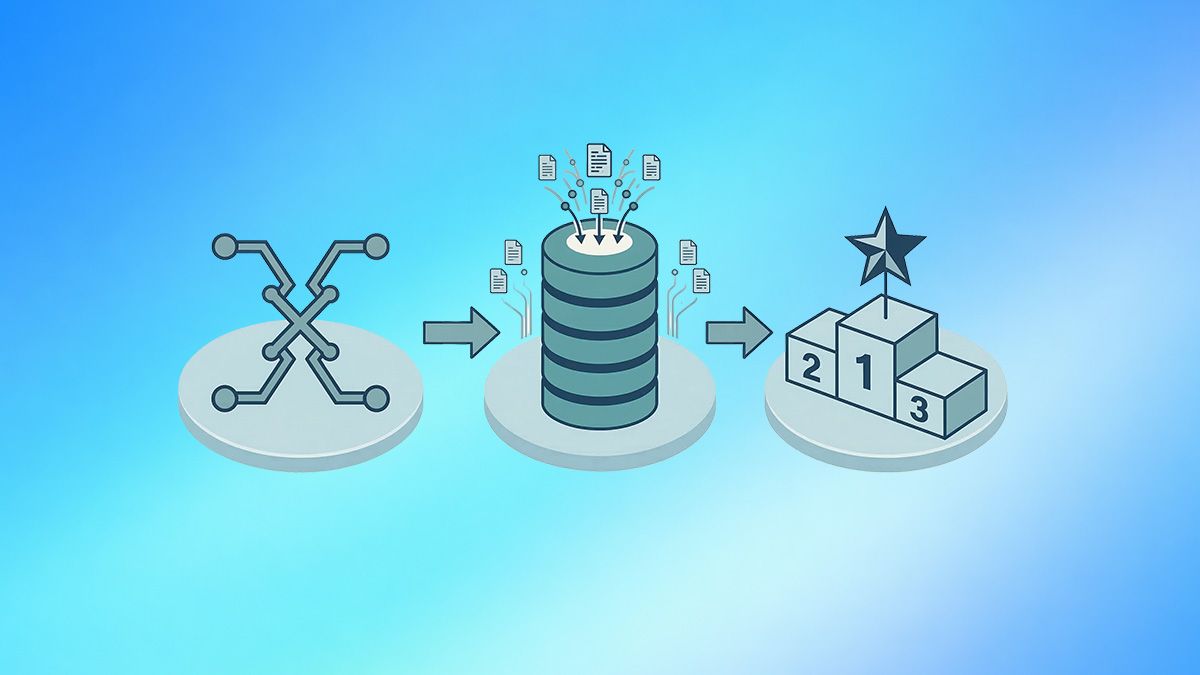
Indexing vs Crawling: What’s the Difference?
To appear in search engine results, a webpage must successfully pass through a specific pipeline. The first two critical phases of this journey are crawling and indexing. While these terms are often used interchangeably, they represent two distinctly different processes.
In short: crawlability is a search engine's ability to discover and navigate through your website, while indexability is its willingness to actually store that content in its database. You cannot have indexing without crawling, but just because a page is crawled does not guarantee it will be indexed.
Here is a deep dive into the exact differences between the two processes and how to optimize for both.
What Is Crawling? (The Discovery Phase)
Crawling is the process of discovery. Because the web is vast and constantly changing, search engines deploy automated bots—known as crawlers, spiders, or Googlebot—to systematically scan the internet.
These bots generally start with a list of known URLs from previous crawls and XML sitemaps, and then follow internal and external links on those pages to discover new content. Think of a crawler as a librarian exploring a massive library to figure out which books exist and how they are connected.
Key aspects of crawling include:
- The Crawl Budget: Search engines do not have infinite resources, so they assign a "crawl budget" to your website. This is the maximum amount of time and server connections Googlebot will devote to crawling your site. Crawl budget is determined by your server's capacity to handle requests quickly and the "crawl demand," which is based on your site's popularity and how frequently you update your content.
- Crawl Roadblocks: Crawlers can be stopped in their tracks by poor technical infrastructure. Broken links (404 errors), redirect loops, and slow server response times all waste your crawl budget.
- Robots.txt: The very first thing a crawler checks when visiting your site is your robots.txt file. This file acts as a gatekeeper, giving direct instructions to the bots about which directories and URLs they are allowed to crawl and which they must skip.
What Is Indexing? (The Storage and Evaluation Phase)
Indexing is the evaluation and storage phase. Once a crawler fetches a webpage, the search engine must process the information to understand what the page is about. During this phase, the search engine assesses the content's quality, analyzes elements like title tags and structured data, and consolidates duplicate pages to find the master (canonical) version.
If the search engine determines the page is valuable and relevant, it adds the page to its massive database—the index. Only indexed pages are eligible to be displayed in search engine results pages (SERPs).
Key aspects of indexing include:
- Quality Control: Not everything that gets crawled gets indexed. If Googlebot crawls a page but finds that it contains thin content, outdated information, or exact duplicate copy of another page, it will likely choose not to index it.
- The Noindex Tag: Website owners can actively prevent a page from being indexed by placing a <meta name="robots" content="noindex"> tag in the page's HTML. This is useful for pages like login screens, thank-you pages, or internal search results that offer no value to public searchers.
- JavaScript Rendering: For websites that rely heavily on JavaScript, indexing actually requires an extra step. The process becomes: crawl, render, and index. The search engine must use rendering resources to execute the JavaScript and see the final content before it can index it, which is highly resource-intensive and can delay indexing.
The Core Differences: Crawling vs. Indexing
To summarize the relationship between the two, here is a breakdown of their primary differences:
- Action vs. Decision: Crawling is the physical action of fetching the HTML of a page. Indexing is the algorithmic decision to store that page so it can be ranked.
- Volume: The number of pages a search engine crawls will almost always be higher than the number of pages it indexes. Crawling represents what Google will look at; indexing represents what Google values.
- Control Mechanisms: You control crawling with your robots.txt file, server speed, and internal linking structure. You control indexing with canonical tags, noindex tags, and by improving the overall E-E-A-T (Experience, Expertise, Authoritativeness, and Trustworthiness) of your content.
Why the Distinction Matters for SEO Troubleshooting
Understanding the difference between crawling and indexing is vital when diagnosing why a webpage isn't showing up in search results. Google Search Console provides specific reports to help you identify which side of the equation is failing.
For example, if you look at your "Page indexing" report and see URLs categorized as "Discovered – currently not indexed," this is usually a crawling issue. It means Google knows the URL exists, but its crawl budget was exhausted before it could actually fetch the page. To fix this, you need to improve your site speed or block low-value URLs in your robots.txt file.
Conversely, if you see URLs categorized as "Crawled – currently not indexed," you have an indexing issue. Googlebot successfully visited the page, but decided it wasn't worthy of the database. To fix this, you must improve the content quality, consolidate duplicate pages, or ensure you haven't accidentally applied a noindex tag.
A Crucial SEO Rule: One of the most common mistakes SEOs make is trying to use robots.txt to remove a page from the index. A page must be crawled for search engines to see a noindex tag. If you block a page in your robots.txt file, Googlebot cannot crawl it. Because it cannot crawl it, it will never see your noindex command, and the page might remain in the search index indefinitely.