Website Audit Checklist: 30 Things to Check for SEO Health
 Martyn Rance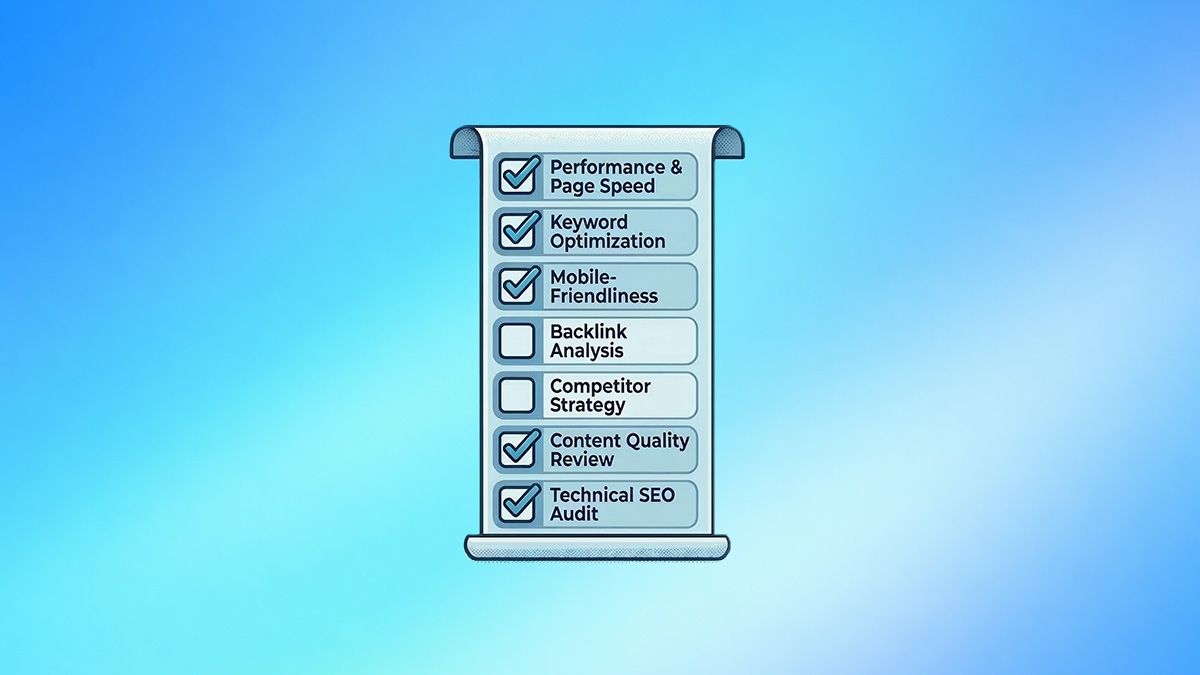
An SEO audit is a comprehensive diagnostic exam that evaluates your website against current search engine standards. Regular audits uncover technical roadblocks, highlight content gaps, and prevent ranking losses caused by algorithm updates or site decay.
Here is a complete 30-point checklist to audit your website's technical health, content quality, and structural integrity.
Section 1: Foundation and Tracking Setup
Before analyzing your website, you must ensure you have the right data infrastructure in place to measure performance. 1. Setup Google Search Console (GSC): Verify your site in GSC to monitor index coverage, crawl errors, click-through rates, and Core Web Vitals directly from Google. 2. Configure Google Analytics 4 (GA4): Ensure GA4 tracking is correctly implemented to monitor user behavior, organic traffic metrics, bounce rates, and conversions. 3. Install Bing Webmaster Tools: Do not ignore Bing. Set up Bing Webmaster Tools to capture traffic from its massive user base and utilize its free diagnostic and backlink analysis tools. 4. Run a Full Site Crawl: Use a desktop or cloud-based crawler like Screaming Frog, Sitebulb, or Semrush to simulate how a search engine bot navigates your site, capturing URLs, status codes, and metadata.
Section 2: Technical SEO and Crawlability
Technical SEO ensures that search engines can easily find, crawl, and index your content. 5. Review Your Robots.txt File: Ensure this file isn't accidentally blocking search engines from accessing critical pages or the essential CSS and JavaScript files needed to properly render your site. 6. Audit Your XML Sitemap: Your sitemap should be lean and focused, containing only canonical, high-value URLs returning a 200 (OK) status code. Ensure accurate <lastmod> dates are present. 7. Identify and Fix 404 Errors: Broken links waste your crawl budget, damage user experience, and create dead ends for search engines. Redirect broken URLs to the most relevant live page. 8. Resolve Redirect Chains and Loops: Long redirect chains (A > B > C) dilute link equity, while redirect loops trap bots entirely. Update links to point directly to the final destination. 9. Check Canonical Tags: Ensure every page has a proper canonical tag pointing to the preferred version of the URL to consolidate ranking signals and prevent duplicate content penalties. 10. Verify HTTPS and Site Security: Ensure your website has a valid SSL certificate and is free of mixed content errors. Browsers label HTTP sites as "Not Secure," which increases bounce rates and hurts rankings. 11. Optimize Core Web Vitals: Use PageSpeed Insights to measure real-world performance based on Largest Contentful Paint (LCP), Interaction to Next Paint (INP), and Cumulative Layout Shift (CLS). 12. Test Mobile-Friendliness: Google uses mobile-first indexing, meaning it ranks pages based on their mobile version. Verify responsive design, legible font sizes, and adequately spaced tap targets. 13. Manage URL Parameters: Filter or sorting URLs (like ?sort=price) can create infinite duplicate URLs. Use canonical tags or robots.txt directives to prevent bots from wasting crawl budget on parameterized pages.
Section 3: On-Page Optimization
On-page SEO aligns your visible content and underlying HTML with user search intent. 14. Optimize Title Tags: Ensure every page has a unique title tag under 60 characters, with the primary target keyword placed as close to the beginning as possible. 15. Write Compelling Meta Descriptions: Treat meta descriptions as ad copy. Keep them between 120 and 160 characters, include your target keyword, and provide a clear value proposition to improve click-through rates. 16. Structure Headings Properly: Use exactly one H1 tag per page containing your primary keyword. Use logical H2-H6 tags to break up the content and signal topic transitions to crawlers and skimmers. 17. Align Content with Search Intent: Verify that your page matches what the user is actually looking for—whether that is informational (a guide), transactional (a product page), or navigational. 18. Implement Schema Markup: Add JSON-LD structured data (such as Article, FAQ, Product, or LocalBusiness schema) to help search engines explicitly understand your content and qualify for rich snippets in the SERPs. 19. Optimize Images: Compress image file sizes (using formats like WebP) to improve page speed, and write descriptive, keyword-relevant alt text to aid both visually impaired users and Google Image Search.
Section 4: Content Quality and AI Readiness
Modern SEO requires content that stands out in both traditional SERPs and new AI-driven search engines. 20. Demonstrate E-E-A-T: Ensure your content reflects Experience, Expertise, Authoritativeness, and Trustworthiness. Include author bios, real-world examples, original data, and citations from credible sources. 21. Prune Thin and Outdated Content: Identify pages that have generated zero clicks or impressions over the last 6 to 12 months. Improve, consolidate, or delete and redirect these low-value pages to eliminate site bloat. 22. Fix Keyword Cannibalization: Ensure multiple pages on your site are not competing for the exact same search query. Consolidate overlapping pages into one master resource to strengthen ranking potential. 23. Format for Information Gain and AI Overviews: AI models reward "Information Gain"—original research or perspectives not found elsewhere. Structure content with direct answers in the first sentence of a section, followed by bullet points or tables for easy AI extraction.
Section 5: Site Architecture and Internal Linking
Your site structure dictates how search engines discover pages and how link equity flows through your domain. 24. Establish a Flat Site Architecture: Keep your most important content close to the surface. Ensure users and bots can reach critical pages within three to four clicks from the homepage. 25. Eliminate Orphan Pages: Identify valuable pages that have no internal links pointing to them. Add contextual links from high-authority hubs to ensure these pages can be crawled and ranked. 26. Use Descriptive Anchor Text: Avoid vague phrases like "click here." Use natural, varied, and keyword-relevant anchor text to give search engines strict context about the destination page. 27. Avoid Internal Nofollow Links: Never use rel="nofollow" tags on your internal links (unless dealing with user-generated content). Internal links must be "dofollow" to pass link equity effectively through your site.
Section 6: Off-Page SEO, UX, and Accessibility
Factors outside your direct code and beyond text optimization heavily influence how search engines perceive your brand's authority and user experience. 28. Audit Your Backlink Profile: Use tools like Ahrefs or Semrush to analyze your inbound links. Look for a healthy diversity of referring domains and identify obvious spam networks or toxic links that may require submission to Google's Disavow Tool. 29. Improve Web Accessibility (WCAG): Ensure your site uses semantic HTML, maintains a color contrast ratio of at least 4.5:1, and supports keyboard navigation and screen readers. Accessibility is crucial for UX and mobile-first indexing. 30. Optimize Local SEO (If Applicable): For businesses with physical locations, verify your Google Business Profile is fully optimized, and ensure your Name, Address, and Phone number (NAP) data is perfectly consistent across all web directories.